ElitePhoneHub · Apple iPhone buying guides
iPhone & accessory buying guides.
Use Help me choose to shortlist iPhones and understand the compromises, then compare matching eBay offers. Already have a phone? Explore accessory guides by task, connection and exact model fit.
By ElitePhoneHub · Content updated
Already know your model? Skip to offers ↓
Find your iPhone.
Five steps · Up to three models · No email required.
A shortlist, with reasons
Find the iPhone that fits your day.
Five short steps to compare up to three models, understand the trade-offs and check matching offers.
How your filters affect offers
- This widget keeps your delivery country, item location, colour, seller and sort order.
- After you pick a model, your storage, condition and budget answers also filter offers. “Any” removes that extra filter; fixed widget rules still apply.
- We check a limited sample of eBay listings, not every listing.
Your shortlist
Based on your answers
Your answers
Choose a section to change those answers.
Offer filters
These settings change which offers are checked, not your model recommendations. Your delivery country, item location and search coverage stay as set in the widget.
Interested in the separate format? Read the iPhone Duo guide and check availability →
Your budget filters offers after you choose a model. It does not change your shortlist.
How the shortlist works
Coverage: iPhone 11–18, including SE, mini, e and Air. Older iPhone guide · Duo guide.
From your needs to a checked offer
Help me choose matches your priorities with the model reference features, explains the compromises and checks a limited sample of offers after you finish. Your delivery country, optional postcode, item location and applied purchase filters remain in use.
A model can meet your feature requirements while no offer matches your budget or other filters in the check. We label an incomplete or failed check separately. Open matching offers to explore further; the check does not establish the cheapest price or complete stock on eBay.
Read Buying guide on an offer for its model advice and specifications, then assess that seller’s condition, battery information, delivery and returns. The guides are editorial interpretations of the linked specifications, not hands-on tests of every model or checks of the individual phone.
Choosing a model and choosing a seller are separate decisions. After comparing the model trade-offs, use the eBay iPhone buying checklist to assess the actual phone, battery information, delivery and return terms.
Compare iPhone offers on eBay
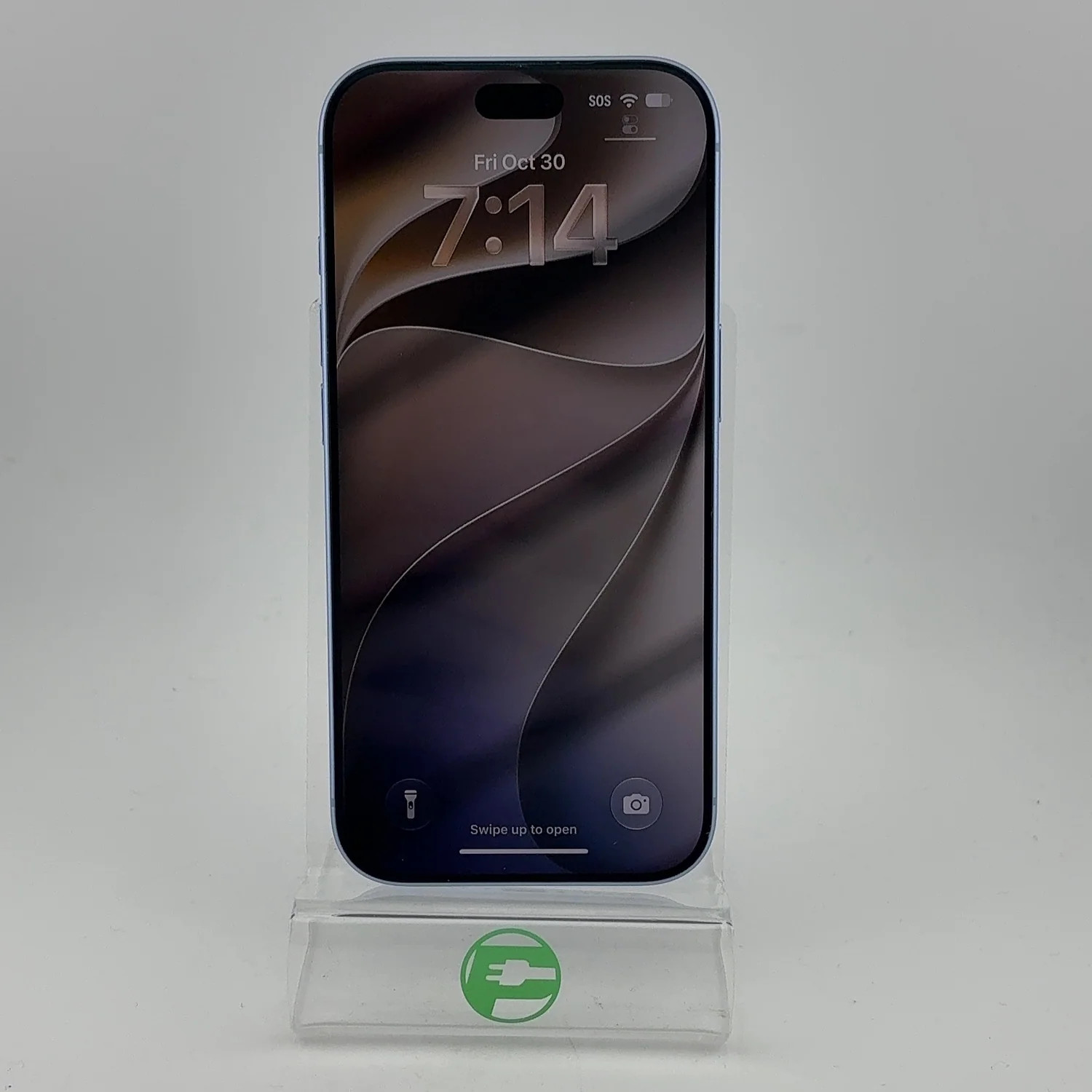
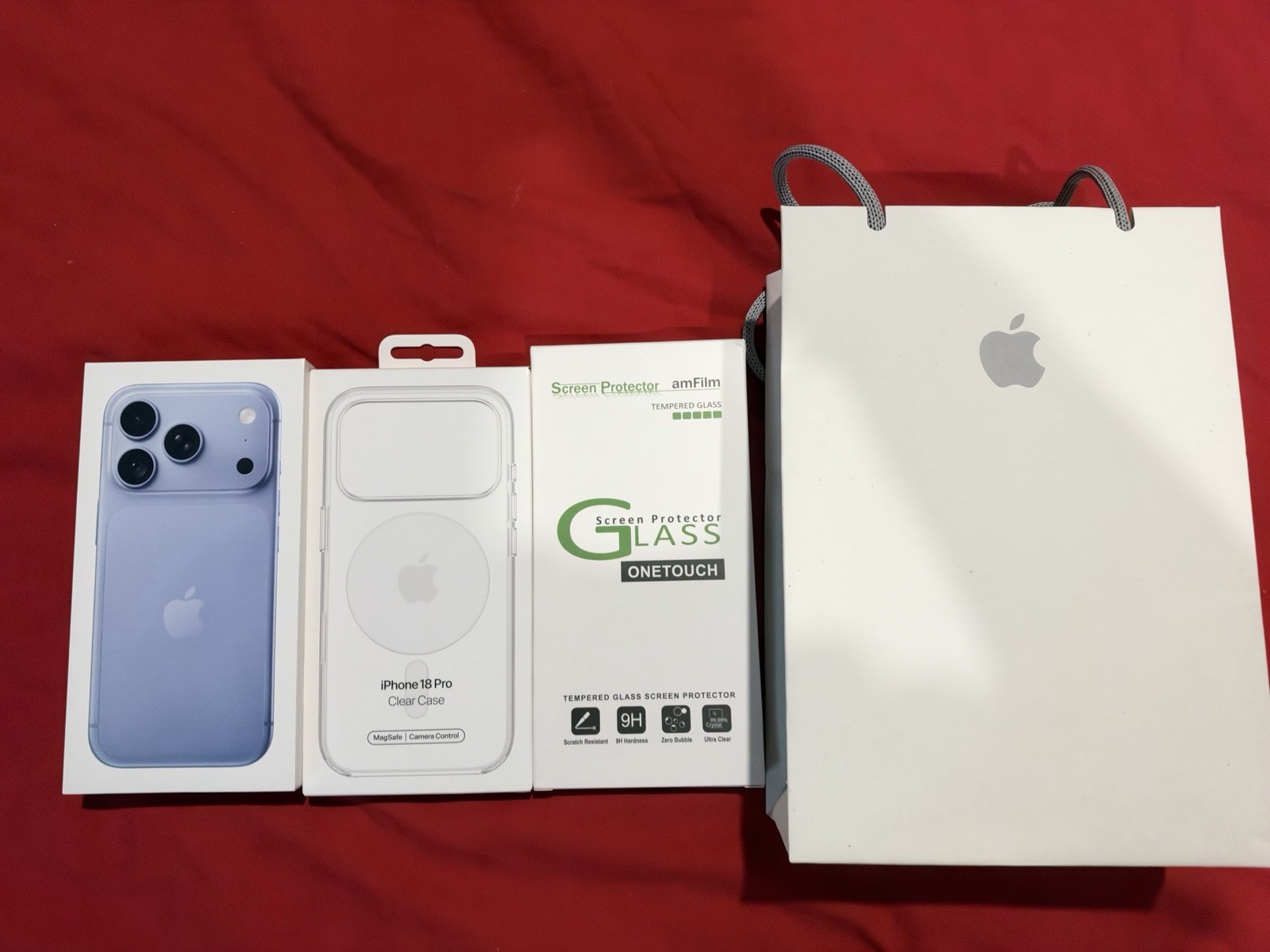
iPhone 18 offers
Compare eBay offers. Choose the model, condition and price that fit you.
Filters & sortSearch all iPhone offersHelp me chooseOffers & detailsPrices · layout · coverageDeliver toUnited StatesItem locationNorth America (US, Canada, Mexico) first + worldwideiPhoneiPhone 18Condition & storageAnyPriceAnyOrderLowest totalCoupon codesAll offersMore filtersAll options
Have the eBay app? Offer links open it where supported. Otherwise, your browser opens.
8 offers in USD
Prices & search details
Regional offers first; additional international offers follow. Your order applies within each group. All offers use the same delivery and optional filters.Filter shown offers by item location
8 loaded offers. These tabs filter this list only. To search a country, use Item location. Load more regional deals adds regional offers only; Load More below continues the full search.
Within your region — North America (US, Canada, Mexico)8 offers shown · From United States
Use photo arrows
Estimated free shipping
Ad: We may earn a commission.
paymore_cary 99.7% positive Feedback score 17,267View feedback
Returns accepted
Estimated delivery
Est. delivery: 4 Nov 2026 – 6 Nov 2026 to United States
Dates are estimates for the shipping option used in the shown price. Your full address, handling time and customs can affect arrival. Confirm the final estimate on eBay.
Seller return policy
Returns accepted · see terms on eBay
Seller pays return shipping under the stated policy.
Stated refund method: money back.
Check the return deadline, conditions, any deductions and return instructions on eBay. Return shipping rules can differ if an item is faulty or does not match its description. A return period does not imply a prepaid return label.
Buyer protection
The eBay site where you complete checkout determines the applicable buyer protection policy. Eligibility, payment method and claim deadlines apply. This is general information; coverage for this transaction has not been verified.
Read eBay buyer protection policies ↗Source: eBay · checked 1 Nov 2026 20:56 UTC. Terms and availability can change.
Est. delivery: 4 Nov 2026 – 6 Nov 2026 to United States
Estimated free shipping
Ad: We may earn a commission.
abhish3k 100.0% positive Feedback score 116View feedback
No seller returns
Estimated delivery
Est. delivery: 3 Nov 2026 – 4 Nov 2026 to United States
Dates are estimates for the shipping option used in the shown price. Your full address, handling time and customs can affect arrival. Confirm the final estimate on eBay.
Seller return policy
Seller states returns are not accepted · check applicable terms on eBay
Check the return deadline, conditions, any deductions and return instructions on eBay. Return shipping rules can differ if an item is faulty or does not match its description. A return period does not imply a prepaid return label.
Buyer protection
The eBay site where you complete checkout determines the applicable buyer protection policy. Eligibility, payment method and claim deadlines apply. This is general information; coverage for this transaction has not been verified.
Read eBay buyer protection policies ↗Source: eBay · checked 1 Nov 2026 20:56 UTC. Terms and availability can change.
Est. delivery: 3 Nov 2026 – 4 Nov 2026 to United States

Use photo arrows
Estimated free shipping
Ad: We may earn a commission.
best_dealever-2008 99.9% positive Feedback score 6,261View feedback
Returns accepted
Estimated delivery
Est. delivery: 4 Nov 2026 – 6 Nov 2026 to United States
Dates are estimates for the shipping option used in the shown price. Your full address, handling time and customs can affect arrival. Confirm the final estimate on eBay.
Seller return policy
Returns accepted · see terms on eBay
Seller pays return shipping under the stated policy.
Stated refund method: money back.
Check the return deadline, conditions, any deductions and return instructions on eBay. Return shipping rules can differ if an item is faulty or does not match its description. A return period does not imply a prepaid return label.
Buyer protection
The eBay site where you complete checkout determines the applicable buyer protection policy. Eligibility, payment method and claim deadlines apply. This is general information; coverage for this transaction has not been verified.
Read eBay buyer protection policies ↗Listing activity
Est. 1 sold
eBay observations can change. Watchers have saved the listing; they are not people viewing it now. Sold quantities are estimates and can cover a multi-variation listing. They do not indicate recent sales or product quality.
Source: eBay · checked 1 Nov 2026 20:56 UTC. Terms and availability can change.
Est. delivery: 4 Nov 2026 – 6 Nov 2026 to United States

Use photo arrows
Estimated free shipping
Ad: We may earn a commission.
paymore_north_central 99.1% positive Feedback score 109View feedback
Returns accepted
Estimated delivery
Est. delivery: 4 Nov 2026 – 7 Nov 2026 to United States
Dates are estimates for the shipping option used in the shown price. Your full address, handling time and customs can affect arrival. Confirm the final estimate on eBay.
Seller return policy
Returns accepted · see terms on eBay
Seller pays return shipping under the stated policy.
Stated refund method: money back.
Check the return deadline, conditions, any deductions and return instructions on eBay. Return shipping rules can differ if an item is faulty or does not match its description. A return period does not imply a prepaid return label.
Buyer protection
The eBay site where you complete checkout determines the applicable buyer protection policy. Eligibility, payment method and claim deadlines apply. This is general information; coverage for this transaction has not been verified.
Read eBay buyer protection policies ↗Source: eBay · checked 1 Nov 2026 20:56 UTC. Terms and availability can change.
Est. delivery: 4 Nov 2026 – 7 Nov 2026 to United States

Use photo arrows
Estimated free shipping
Ad: We may earn a commission.
best_dealever-2008 99.9% positive Feedback score 6,261View feedback
Returns accepted
Estimated delivery
Est. delivery: 3 Nov 2026 – 4 Nov 2026 to United States
Dates are estimates for the shipping option used in the shown price. Your full address, handling time and customs can affect arrival. Confirm the final estimate on eBay.
Seller return policy
Returns accepted · see terms on eBay
Seller pays return shipping under the stated policy.
Stated refund method: money back.
Check the return deadline, conditions, any deductions and return instructions on eBay. Return shipping rules can differ if an item is faulty or does not match its description. A return period does not imply a prepaid return label.
Buyer protection
The eBay site where you complete checkout determines the applicable buyer protection policy. Eligibility, payment method and claim deadlines apply. This is general information; coverage for this transaction has not been verified.
Read eBay buyer protection policies ↗Listing activity
Est. 1 sold
eBay observations can change. Watchers have saved the listing; they are not people viewing it now. Sold quantities are estimates and can cover a multi-variation listing. They do not indicate recent sales or product quality.
Source: eBay · checked 1 Nov 2026 20:56 UTC. Terms and availability can change.
Est. delivery: 3 Nov 2026 – 4 Nov 2026 to United States

Use photo arrows
Estimated free shipping
Ad: We may earn a commission.
alldayzip 98.9% positive Feedback score 39,815View feedback
Returns accepted
Estimated delivery
An arrival estimate for this delivery country is not available. Check the selected address and shipping service on eBay.
Dates are estimates for the shipping option used in the shown price. Your full address, handling time and customs can affect arrival. Confirm the final estimate on eBay.
Seller return policy
Returns accepted · see terms on eBay
Seller pays return shipping under the stated policy.
Stated refund method: money back.
Check the return deadline, conditions, any deductions and return instructions on eBay. Return shipping rules can differ if an item is faulty or does not match its description. A return period does not imply a prepaid return label.
Buyer protection
The eBay site where you complete checkout determines the applicable buyer protection policy. Eligibility, payment method and claim deadlines apply. This is general information; coverage for this transaction has not been verified.
Read eBay buyer protection policies ↗Source: eBay · checked 1 Nov 2026 20:56 UTC. Terms and availability can change.
Delivery estimate unavailable · check on eBay.

Use photo arrows
Estimated free shipping
Ad: We may earn a commission.
techtoys808 99.7% positive Feedback score 10,317View feedback
No seller returns
Estimated delivery
Est. delivery: 4 Nov 2026 – 6 Nov 2026 to United States
Dates are estimates for the shipping option used in the shown price. Your full address, handling time and customs can affect arrival. Confirm the final estimate on eBay.
Seller return policy
Seller states returns are not accepted · check applicable terms on eBay
Check the return deadline, conditions, any deductions and return instructions on eBay. Return shipping rules can differ if an item is faulty or does not match its description. A return period does not imply a prepaid return label.
Buyer protection
The eBay site where you complete checkout determines the applicable buyer protection policy. Eligibility, payment method and claim deadlines apply. This is general information; coverage for this transaction has not been verified.
Read eBay buyer protection policies ↗Source: eBay · checked 1 Nov 2026 20:56 UTC. Terms and availability can change.
Est. delivery: 4 Nov 2026 – 6 Nov 2026 to United States

Use photo arrows
Estimated free shipping
Ad: We may earn a commission.
techtoys808 99.7% positive Feedback score 10,317View feedback
No seller returns
Estimated delivery
Est. delivery: 4 Nov 2026 – 6 Nov 2026 to United States
Dates are estimates for the shipping option used in the shown price. Your full address, handling time and customs can affect arrival. Confirm the final estimate on eBay.
Seller return policy
Seller states returns are not accepted · check applicable terms on eBay
Check the return deadline, conditions, any deductions and return instructions on eBay. Return shipping rules can differ if an item is faulty or does not match its description. A return period does not imply a prepaid return label.
Buyer protection
The eBay site where you complete checkout determines the applicable buyer protection policy. Eligibility, payment method and claim deadlines apply. This is general information; coverage for this transaction has not been verified.
Read eBay buyer protection policies ↗Source: eBay · checked 1 Nov 2026 20:56 UTC. Terms and availability can change.
Est. delivery: 4 Nov 2026 – 6 Nov 2026 to United States
Buying guides for these models
Explore model features and practical buying checks. These guides describe the models; current availability and each phone's condition are shown in the offers above.
iPhone 18 Pro buying guide
Good for
Consider iPhone 18 Pro for the dedicated telephoto and ProMotion features. Compare iPhone 17 Pro before deciding which features justify the actual offer total.
Reasons to choose it
- The 6.3-inch display keeps the screen area smaller to reach across.
- ProMotion can make supported scrolling and animations look smoother.
- An ultra-wide lens gives a wider framing option for rooms, groups and landscapes.
- A dedicated telephoto lens gives a separate framing option for distant subjects.
Trade-offs
- The smaller display has less room for larger text, maps and video than a larger alternative.
- At 211 g by reference weight, this model is 34 g heavier than iPhone 17 before adding a case.
In everyday use
- At 6.3 inches and a listed 211 g, compare this model with the phone you currently hold. Grip, case and text size affect comfort.
- Use ultra-wide when fitting a room or group in the frame matters; lighting and technique still affect the result.
- Use the dedicated telephoto for tighter framing when you cannot move closer; it does not guarantee better results at every zoom setting.
- ProMotion concerns supported display motion, rather than download speed or a guarantee that every game runs at a particular frame rate.
Other models to consider
- iPhone 17 Pro: 5 g lighter by reference weight. Compare the actual price, capacity and condition before judging the saving.
- iPhone 18 Pro Max: a larger 6.9-inch screen. Compare the actual price, capacity and condition before judging the saving.
Choosing storage
Model reference capacities: 256GB, 512GB, 1TB, 2TB.
- Storage cannot be increased later. Compare your current used storage with the space you want for photos, apps, downloads and offline video.
- More storage can suit frequent local recording and large offline libraries. Cloud storage can reduce local needs but requires a separate service and suitable connectivity.
- The seller listing determines the offered capacity. Verify the exact capacity and model on eBay; a title alone is not a hardware check.
Check before buying
- Check the seller's battery-health information, charging behaviour and any battery replacement. Model specifications do not establish this individual phone's battery condition.
- Ask about repairs, replacement parts and working cameras, buttons, microphones and charging port. Check condition photos and any disclosed faults.
- Confirm Activation Lock is removed, carrier restrictions, regional model and SIM/eSIM compatibility with your network.
- Compare the final item price plus shipping, then check taxes or import charges, return terms, warranty and the seller's description on eBay.
- Confirm the listing is iPhone 18 Pro at the capacity you selected; check the exact regional variant and SIM/eSIM support.
Practical-use notes translate published model specifications into possible everyday effects. They are editorial explanations, not hands-on tests, measured performance claims or a summary of owner reviews. They do not verify the individual seller listing.
Apple model specifications · Reference checked 2026-10-03
iPhone 18 Pro Max buying guide
Good for
Consider iPhone 18 Pro Max for the dedicated telephoto and ProMotion features. Compare iPhone 18 Pro before deciding which features justify the actual offer total.
Reasons to choose it
- The 6.9-inch display provides more room for larger text, maps and video.
- ProMotion can make supported scrolling and animations look smoother.
- An ultra-wide lens gives a wider framing option for rooms, groups and landscapes.
- A dedicated telephoto lens gives a separate framing option for distant subjects.
Trade-offs
- The larger body takes more pocket space and hand reach; a case adds to both.
- The 249 g reference weight is 38 g heavier than iPhone 18 Pro, before adding a case.
In everyday use
- At 6.9 inches and a listed 249 g, compare this model with the phone you currently hold. Grip, case and text size affect comfort.
- Use ultra-wide when fitting a room or group in the frame matters; lighting and technique still affect the result.
- Use the dedicated telephoto for tighter framing when you cannot move closer; it does not guarantee better results at every zoom setting.
- ProMotion concerns supported display motion, rather than download speed or a guarantee that every game runs at a particular frame rate.
Other models to consider
- iPhone 18 Pro: a smaller 6.3-inch screen. Compare the actual price, capacity and condition before judging the saving.
- iPhone 17 Pro Max: 16 g lighter by reference weight. Compare the actual price, capacity and condition before judging the saving.
Choosing storage
Model reference capacities: 256GB, 512GB, 1TB, 2TB.
- Storage cannot be increased later. Compare your current used storage with the space you want for photos, apps, downloads and offline video.
- More storage can suit frequent local recording and large offline libraries. Cloud storage can reduce local needs but requires a separate service and suitable connectivity.
- The seller listing determines the offered capacity. Verify the exact capacity and model on eBay; a title alone is not a hardware check.
Check before buying
- Check the seller's battery-health information, charging behaviour and any battery replacement. Model specifications do not establish this individual phone's battery condition.
- Ask about repairs, replacement parts and working cameras, buttons, microphones and charging port. Check condition photos and any disclosed faults.
- Confirm Activation Lock is removed, carrier restrictions, regional model and SIM/eSIM compatibility with your network.
- Compare the final item price plus shipping, then check taxes or import charges, return terms, warranty and the seller's description on eBay.
- Confirm the listing is iPhone 18 Pro Max at the capacity you selected; check the exact regional variant and SIM/eSIM support.
Practical-use notes translate published model specifications into possible everyday effects. They are editorial explanations, not hands-on tests, measured performance claims or a summary of owner reviews. They do not verify the individual seller listing.
Apple model specifications · Reference checked 2026-10-03
As an eBay Partner Network affiliate, ElitePhoneHub may earn a commission from qualifying purchases. Prices and availability can change. Shipping estimates use your selected delivery country; taxes and import charges may apply. Confirm all details on eBay. Unknown specifications are not guessed.
How the offers and your shortlist work together
The widget starts with iPhone 18 offers: your automatic region first, with international offers added when the first batch is sparse. Choose a shortlisted model to load matching listings in the same widget. Your delivery country and any explicitly selected item location remain in use.
Your storage, condition and optional budget answers apply when you choose a model. A minimum capacity includes larger variants; an exact capacity allows only that variant. Budgeted offers must use your chosen currency and have quoted or estimated shipping. Fixed widget restrictions remain enforced. Other applied filters stay in use.
Check whether shipping is known or estimated. Unknown shipping is not free, and taxes, import charges or currency conversion may be additional. Confirm the selected variation, final delivered price, stock and dispatch terms on eBay.
No matching offers? Review the storage, condition or budget; check Item location and Search coverage; or use Refresh deals. Automatic region + worldwide can add international offers. A deliberately selected country, European Union or country + land neighbors remains strict. An incomplete search or service error does not establish that no suitable listings exist.
Build a setup that fits
iPhone accessory buying guides: fit, features and complete offers
The five-step finder recommends iPhones. For accessories, start with the exact phone and the job you want the accessory to do. A useful choice matches the physical fit, connection, app requirements and complete package—not just the lowest item price.
Phone and physical fit
Confirm the exact model, case dimensions, camera opening and mounting clearance. Similar generation names or screen sizes do not establish interchangeability.
Function and connection
Check charging, audio, data, attachment and app requirements separately. The same connector or magnetic ring does not establish every advertised function.
The actual offer
Compare complete sets at item plus delivery. Check condition, included parts, seller terms, any required subscription and the cost of returning the product.
Cases & Protection
Cases, covers and screen protectors. Match the exact model, camera layout and the type of protection you want.
Compare cases & protection →Chargers & Adapters
Chargers, cables, adapters and power banks. Check the connector, supported power and what the offer includes.
Compare chargers & adapters →MagSafe
Magnetic chargers, wallets, stands and mounts. Separate attachment compatibility from charging performance.
Compare MagSafe →Headphones & Speakers
Earbuds, headphones and speakers. Compare connections, microphone needs, included parts and used condition.
Compare headphones & speakers →Content Creation
Tripods, grips, gimbals, microphones and lights. Check mounting fit, connectors, included parts and software needs.
Compare content creation →Gaming
Controllers, grips and gaming gear. Check phone dimensions, connection, game support and included adapters.
Compare gaming →Health & Fitness
Connected fitness and wellness gear. Check the exact app, iPhone support, subscriptions and what data is shared.
Compare health & fitness →Compare all accessory offersAccessory checks before paying on eBay
The accessory compatibility filter uses recognised listing information; it is not a physical fit or authenticity check. Confirm the accessory maker’s specifications and the selected variation on eBay.
A closer comparison
Compare two iPhone models
Compare two of the 34 supported models, including older iPhones, SE, Air and Duo. Start with a suggested pair or choose a series and model for each phone.
Compare the camera options, weight and screen before deciding whether the Pro premium is worthwhile.
| What matters | iPhone 18 Pro | iPhone 17 |
|---|---|---|
| Display | 6.3-inch · ProMotion up to 120Hz | 6.3-inch · ProMotion up to 120Hz |
| Charging connector | USB-C | USB-C |
| Storage options Different | 256GB, 512GB, 1TB, 2TB | 256GB, 512GB |
| Weight, without case Different | 211 g | 177 g |
| Rear-camera options Different | Main + ultra wide + dedicated telephoto | Main + ultra wide; no dedicated telephoto |
| Apple-rated video playback Different | Up to 36 hours | Up to 30 hours |
| Consider it for | Camera flexibility in the smaller Pro body | Everyday use with smooth scrolling and an ultra wide camera |
| Trade-off to weigh | Compare the actual price premium against an earlier Pro. | For distant subjects, compare a model with a dedicated telephoto. |
| Availability | Check current seller stock and dispatch. | Check current seller stock and dispatch. |
| Explore |
Read model guide
Apple specifications Reference checked: |
Read model guide
Apple specifications Reference checked: |
Feature references are dated beside each linked Apple source. Highlighted rows identify differences in the listed hardware. Battery ratings are manufacturer maximums, not predictions for your use or a used battery.
How to read the comparison and source dates
Use this comparison to identify feature differences, then inspect the individual offer. Apple references and their check dates appear in the table. The comparison does not establish current seller stock, future software support or measured real-world performance.
Screen sizes are nominal diagonals and do not describe the entire body. Battery figures use the linked US manufacturer references unless stated otherwise; test conditions and regional models can differ. Duo’s inner- and outer-display battery ratings are separate and must not be added together.
Show only different hardware specifications hides equal hardware rows. Buying considerations and source links remain available. A cosmetic condition grade, camera count or Pro name alone does not establish which listing is the best purchase.
Common iPhone comparisons, explained
iPhone Air vs iPhone 17 Pro
Start with carrying comfort or camera variety. Air is lighter with a 6.5-inch display; 17 Pro has a 6.3-inch display and additional rear-camera lenses. ProMotion is present on both. A Pro chip name alone does not settle the choice.
iPhone 17 vs 17e
Consider standard 17 for ultra wide photos and smoother scrolling. Compare 17e for its simpler camera package and the actual saving on a suitable listing. Both list 256GB and 512GB; choose capacity before comparing prices.
iPhone 16e vs 16
Standard 16 adds ultra wide, macro photography and built-in MagSafe. Compare 16e only after deciding which of those features you can give up. A magnetic case does not add native MagSafe charging.
iPhone 15 Plus vs 15 Pro Max
Both provide a 6.7-inch display. Pro Max adds ProMotion and a dedicated 5× telephoto. If your priorities are YouTube, maps and larger text, decide whether you need those extras; a better battery and clearer return terms may be a more useful purchase than a Pro badge.
These are editorial implications of the Apple specifications linked in the comparison and series guides. They describe feature choices, rather than hands-on test results or a guaranteed cheapest model.
Compare the saving carefully
Include older iPhones in your shortlist
In step 2 of the helper, choose Older families , Newer families or Newer and older iPhones . Required features and your minimum or exact storage selection still apply. For a mini or SE, use the compact-screen option.
Everyday use: iPhone 13 or 14
Compare a standard model against an equally healthy iPhone 15. The older families use Lightning. Check the actual saving after battery service, delivery and seller terms.
Compare iPhone 14 & 15 →Compact: mini or SE
12/13 mini and SE 2020/2022 offer smaller screens. SE has Touch ID and a single rear camera; compare display, camera options and battery condition before choosing.
Compare 13 mini & SE 2022 →Earlier Pro models
Compare dedicated telephoto options by model. 13/14 Pro add ProMotion; 11/12 Pro do not. An older Pro badge does not establish the best purchase.
Compare 13 Pro & 14 →Check the phone’s age and condition together
Ask about battery health, repairs, Activation Lock and returns. Check current software and app requirements before purchase; the helper does not promise future support. The 11 family lacks 5G and built-in MagSafe; SE also lacks built-in MagSafe.
Choose an iPhone around your budget
Set a maximum delivered cost before choosing a listing. There is no fixed model-to-budget guarantee: condition, storage, battery, shipping and country change the comparison.
Working to a strict budget
Set an optional maximum item + shipping amount and its currency. Models are shortlisted by features; a limited offer check then uses your budget and other filters. Only quoted or estimated shipping qualifies. No currency conversion, taxes or import charges are included.
A larger screen for video and navigation
Shortlist 15 Plus and 16 Plus if Pro camera features are not essential. Compare Pro Max when smoother scrolling or a dedicated telephoto matters. Verify used-battery condition and handling with a case before choosing by the highest laboratory battery rating.
Photography or demanding creative apps
Choose the required lenses and file workflow first. Compare the cost of a suitable earlier Pro with a newer model, including battery condition and storage. A chipset or camera specification does not predict every app’s performance or every photo’s quality.
Explore the families
Choose a format. Then choose a model.
iPhone 18 Pro & Pro Max
Two sizes in the newest Pro series. Compare handling and camera needs.
Read the guide →iPhone 17 family
17, 17e, Pro, Pro Max and the separate Air model.
Read the guide →iPhone 16 family
Compare standard, Plus, Pro and 16e features carefully.
Read the guide →iPhone 15 family
Compare the offer condition as well as the model name.
Read the guide →Older iPhones: 11–14 & SE
Mini, standard, Plus and Pro options where available, plus SE 2020/2022. Check condition and current support.
Read the older iPhone guide →iPhone Duo
Explore the folding format, practical buying advice, regional compatibility and seller dispatch.
Read the guide →A series name is not a specification: a standard, e, Plus and Pro model can have different cameras, displays and charging features.
Buying on eBay
Buying an Apple iPhone on eBay: check the whole offer.
Choose the model for its features, then assess the individual phone. ElitePhoneHub helps you compare; you purchase from the seller on eBay. These checks apply whether you are considering a new, used or refurbished iPhone. eBay listings come from independent sellers, so compare the same model and selected condition before weighing price. Read our complete guide to comparing iPhone offers on eBay.
Match the model and selected variation
Read the selected option as well as the title. One listing can contain several models, capacities or conditions at different prices. Match the photos and model number to the phone you want.
For a regional version, confirm your carrier and physical SIM or eSIM requirements. “Unlocked” describes carrier restrictions; Activation Lock and work or school management restrictions need separate checks.
Compare condition, battery and repairs
Read the exact grade and all stated faults. Ask for current battery information and relevant repair history. A cosmetic grade alone does not establish a new battery, original parts or the same condition as another phone.
Check the displays, cameras, charging and Face ID or Touch ID. Follow Apple’s preowned iPhone inspection guidance when you receive a used device. Do not buy a phone with Activation Lock enabled.
Apple Certified and eBay Refurbished differ
Apple Certified Refurbished is Apple’s programme. eBay Refurbished has its own seller requirements and condition tiers. A seller’s use of “refurbished” does not by itself establish either programme.
Verify the actual badge, refurbisher, battery commitment and warranty for the listing and delivery country. Read Apple’s programme description and eBay’s programme description before comparing promises.
Read seller feedback in context
Consider the positive-feedback percentage, feedback score and recent comments together. The score is not a review count; seller feedback can concern other products.
Look for relevant comments about condition, communication and problem handling. A high percentage alone does not verify the battery, authenticity or functionality of this particular phone. Open Seller feedback beside the seller details for more context.
Compare the cost you can actually assess
Match model, capacity and condition before comparing item plus quoted or estimated shipping. Unknown shipping is not free. Our currency groups are not converted; taxes and import charges are not included in the shown totals.
Check the final selected variation and delivery address on eBay. Allow for applicable taxes, imports, conversion costs and any battery service or accessories. Coupon savings depend on eligibility and remain separate from ordinary price comparisons.
Check delivery, returns and purchase protection
Distinguish item location from delivery destination. Read stock, handling time and arrival estimates; a nearby seller does not promise a faster arrival. A presale requires a clear dispatch commitment.
Check the return window, return address, who pays return postage and any warranty. Seller returns and eBay buyer protection are different arrangements. Read the applicable eBay policy for eligibility and deadlines; keep the listing and order details.
Choose an iPhone for your needs Compare matching eBay offers Checks for older iPhones
Buying references: Apple’s preowned iPhone checks , Apple Certified Refurbished , eBay Refurbished and eBay buyer protection . Check the programme and terms for your marketplace and purchase. Links checked .
iPhone buying guide: common questions
Can the choice helper recommend an older iPhone?
Yes. Choose older families or newer and older iPhones in step 2. It covers iPhone 11–14 and SE 2020/2022, including supported mini, Plus and Pro variants. Required features and your minimum or exact storage choice filter the candidates first; prices, seller condition and future software support are checked separately.
Which iPhone should I buy for everyday use?
Begin with a standard or e model if calls, messages, maps and casual photos are your main tasks. Add Plus or Pro Max to the shortlist for more screen space. Require a Pro only for a feature you expect to use, then compare equally suitable listings.
How do I choose between an older Pro and a newer standard iPhone?
Compare the specific lenses, refresh-rate features, storage and physical size. Then weigh battery condition, repairs, returns and delivered cost. Some newer standard models have ProMotion, so the Pro label alone does not establish the smoother display.
Is refurbished automatically better than used?
No. Refurbishment standards and grades vary. Read the seller’s battery commitment, functional checks, warranty and return terms. Keep price comparisons at the same model and capacity.
Does unlocked guarantee compatibility with my carrier?
No. Check the exact regional model, network support and SIM or eSIM requirements, as well as activation status. Ask your carrier when you are importing a version sold for another market.
Can I decide by Apple’s battery hours?
Use them as a manufacturer reference under its stated test conditions, rather than a prediction for navigation, games or a used battery. Actual workload, reception and battery condition matter. The separate Duo display ratings must not be added together.
Are the guide recommendations based on live prices?
The helper shortlists models by features and your preferences. Open matching offers afterwards and apply your budget; a recommended model is not a promise of current availability or affordability.
How do I load offers for a recommended model?
Complete the helper and choose an offer button on your shortlist. This page’s central widget loads that model with minimum or exact storage, condition and an optional budget. Automatic region + worldwide is the starting point; your delivery country and any deliberately selected item location are retained. Empty results retain your choice so you can review filters or choose an alternative.
Can the comparison include iPhone Duo?
Yes. Select iPhone Duo in the model comparison. The five-step helper shortlists conventional iPhones and links to Duo separately when you express interest in its format. Read the Duo buying guide for the folding design and seller dispatch checks.
Is Apple Certified Refurbished the same as refurbished on eBay?
No. Apple’s programme and eBay’s programme are distinct. A seller-refurbished label alone confirms neither. Compare the badge, battery commitment, refurbisher and warranty for the exact listing. Read the refurbished buying checks before deciding.
Does ElitePhoneHub sell the iPhone or complete the eBay purchase?
ElitePhoneHub provides model guidance and offer comparisons. You buy from the seller on eBay, where you confirm the selected variation, final price, delivery address and purchase terms. We may earn a commission from qualifying purchases; see our affiliate disclosure .
Affiliate disclosure: ElitePhoneHub may earn a commission from qualifying eBay purchases. Purchases are completed on eBay with third-party sellers. How affiliate links work .